Android first · iOS planned
Bring calm to your digital life.
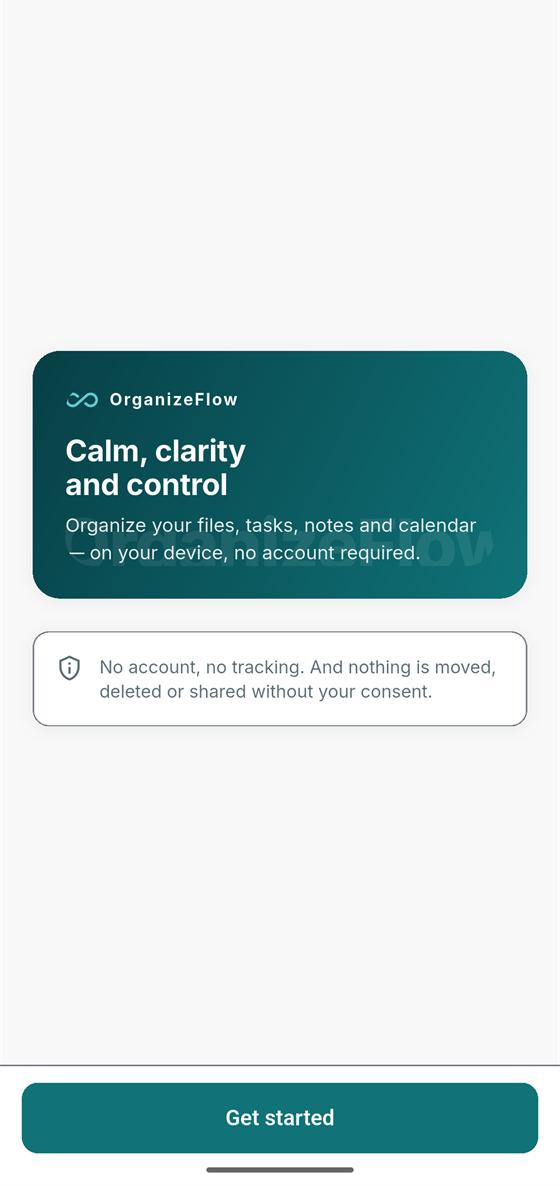
Organize your files, tasks, notes and calendar — on your device, no account required.
No account, no tracking. And nothing is moved, deleted or shared without your consent.
Android early access is in preparation. Join the list for release updates.
Try the flow yourself ↓
Interactive concept preview
Feel how a thought becomes a plan.
Pick a sample thought and walk through the three steps yourself. Nothing you do here is sent or stored — the samples are predefined, and this flow is a concept preview, not a recording of the shipped app.
Choose a sample thought:
No account needed for this preview. No data leaves this page.
1 · Capture
A quick thought, typed in seconds.
2 · Review
You check the suggestion. Nothing is saved yet.
3 · Confirm
Saved — on your device.
The problem
Your life is scattered across a dozen apps.
A note here, a date in a chat there, a screenshot you meant to act on. By the time you need something, it's hard to find — or it finds you at the wrong moment.
From this
To this
The clutter isn't on your phone. It's in your head. OrganizeFlow is designed to take it off your mind — one confirmed item at a time.
How it works
Three calm steps. You approve every one.
OrganizeFlow is built around one respectful loop: it suggests, you decide. Nothing is stored until you confirm it.
Capture
Add a thought, task, appointment or note in seconds — the moment it appears.
Review
OrganizeFlow suggests how to structure it. You stay in charge of every detail.
Confirm
Check the suggestion and save. Nothing is stored until you say so.
Felt right in the demo? Join Android early access.
The real app
Not mockups. The shipped app.
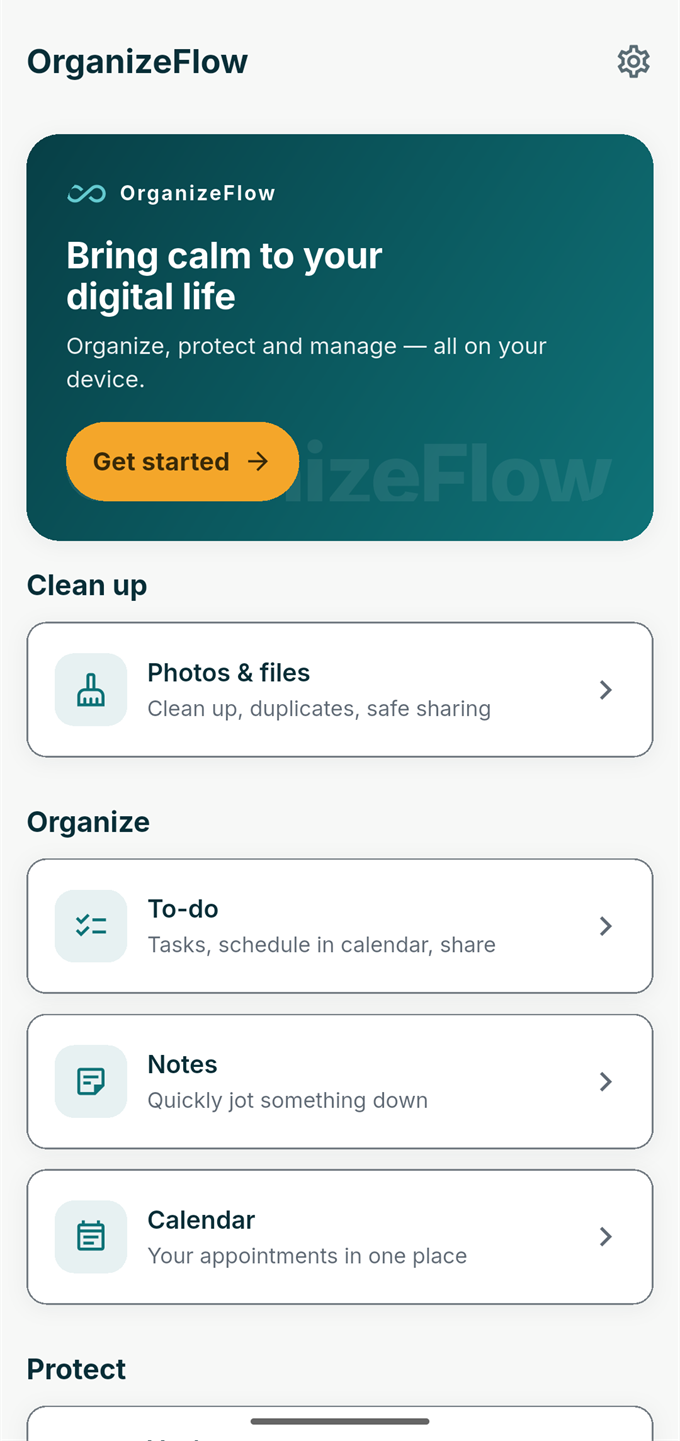
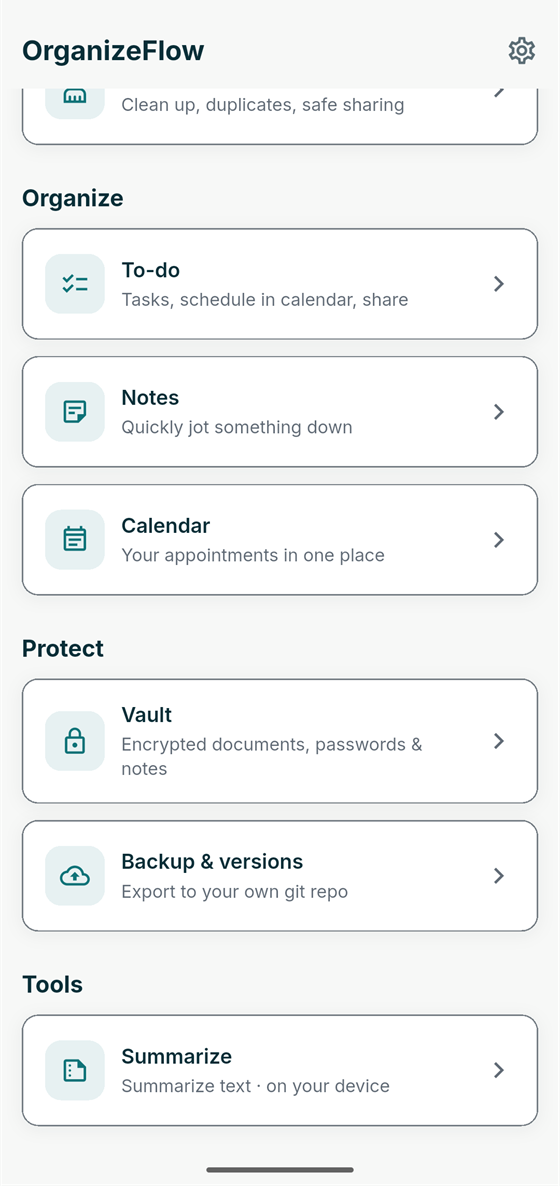
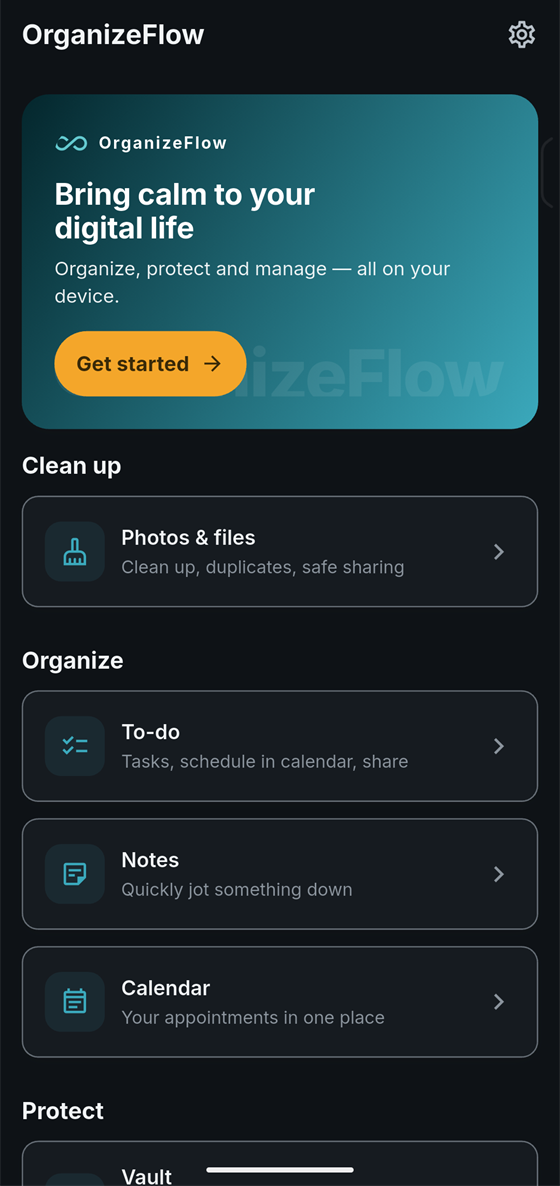
Real screens from the Android app, untouched — only the status bar is cropped for privacy.
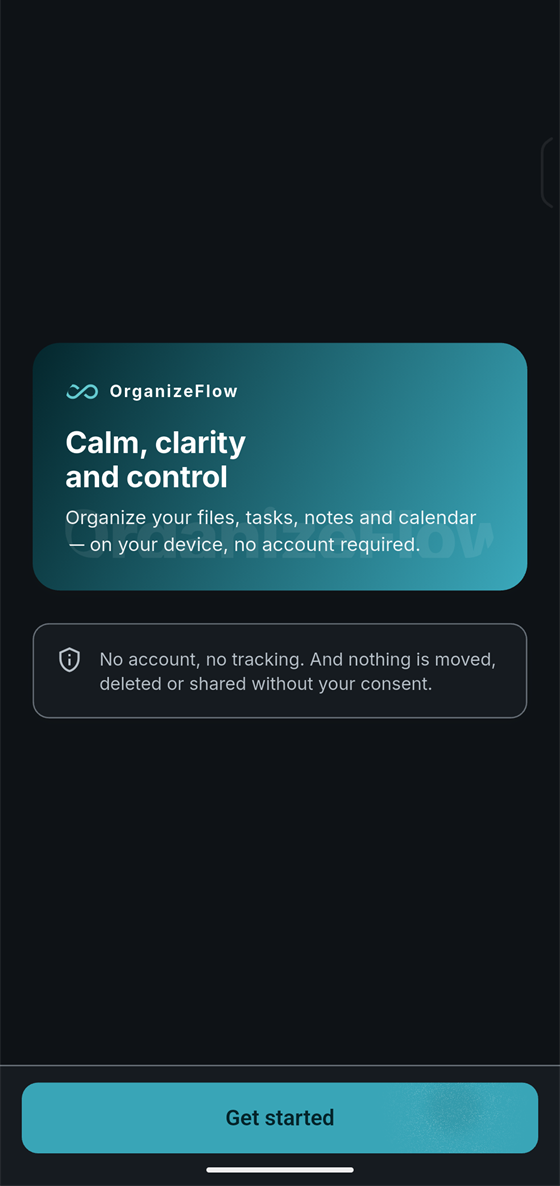
In the app today
Organize, protect and manage — all on your device.
The app is organized in four calm groups. Everything below ships in the app today.
Clean up
Clean up
Clean up, duplicates, safe sharing
Organize
To-do
Tasks, schedule in calendar, share
Notes
Quickly jot something down
Calendar
Your appointments in one place
Protect
Vault
Encrypted documents, passwords & notes
Backup & versions
Export to your own git repo
Tools
Summarize
Summarize text · on your device
Privacy & control
Your information stays under your control.
Everything runs and stays on your device — your files, your notes, your calendar. It works for you, not on you. This section mirrors the app's own dark mode: what you see here is what you get there.
No account, no tracking
And nothing is moved, deleted or shared without your consent.
Encrypted Vault
Documents, passwords & notes protected with encryption and a recovery code — on your device.
Encrypted backup export
Export encrypted backups on your terms — including to your own git repo.
Safe sharing
Share photos with metadata stripped (JPEG/PNG), so you share the picture — not your location.
About multi-device sync: secure synchronization between your own devices is in development (design phase), with no shipping date yet. We don't claim encrypted sync or cloud storage today. Read the full privacy approach
Honest status
Exactly where we are. No pretending.
We keep what exists and what's coming clearly separated, so you always know what to expect.
Available today
- On-device cleanup: duplicates, near-duplicates, safe sharing
- To-dos, notes and calendar
- Encrypted local Vault with recovery code
- Encrypted backup export — incl. your own git repo
- On-device summarize & translate
- Dark mode · English UI · Android
In development
- Secure multi-device synchronization (design phase — no shipping date yet)
- Android early-access rollout
Planned
- iOS version
When something moves from planned to real, early-access members hear it first. Follow the build — join early access. Full detail: product status.
FAQ
Questions, answered plainly.
When will OrganizeFlow be available?
Android is being developed first. We're counting down to the early-access target shown on this page — a target date, subject to final testing and release approval. Join the waitlist and you'll hear the moment it opens.
Will there be an iPhone version?
Yes. An iOS version is planned after the Android release.
Does OrganizeFlow use AI?
Yes — on your device. OrganizeFlow can summarize and translate text on-device. Results are always shown for your review; nothing acts on its own.
Do I need an account?
No account required. No tracking either — and nothing is moved, deleted or shared without your consent.
Does OrganizeFlow work offline?
OrganizeFlow works on your device. Secure multi-device sync is in development and would use a connection — it is designed to be optional.
What happens when I join the waitlist?
You'll get one email when Android early access opens, and occasional meaningful progress updates. Nothing else — and you can unsubscribe anytime.
Early access
Be first when calm arrives on Android.
Join early access to try OrganizeFlow first and follow the build as it happens.
Android early access is in preparation. Join the list for release updates.